Monday, 17 June 2019

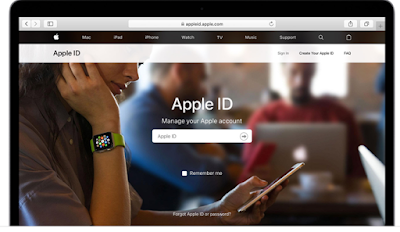
Incredible Ways to fix the Apple id locked issue to enhance security


An individual can find the name of various companies when it comes to purchase the high resolution based maximum width screen device. All the products of Apple company are fairly good which offer the imperative functionalities to all users.  The craze of tablet and tablets is increasing at high rate so that business conferencing in the form of audio and video conferencing can’t degrade anymore.Likewise, all other resembling electronic goods and products, person can get the better the better opportunity to get all the online application pleasure as they don’t like.
How do get the full race benefit with Apple id as it may block in account of uncertain reasons. Remembering the credential information cannot easy all the time for a user. Hence, it is bit obvious that user can access its related damage in defined time.  It is general event that entry of wrong username and password takes frequently. As a consequence, your concerned Apple id becomes locked due to security and information safety concerns. Now, no other intruder can access personal information and make the misuse of it.


Appearance of this event can take also place when you enter the wrong security question and any other information taking full concern with security questionnaire. Do not be fret while surrounding with such issues and problem in it. One should have to do their best to unlock their Apple id. Reading this content, you can meet with varieties of reasons of the fix the Apple id technical issue.

Take the through look when and why your Apple id has been locked

It is sure that Apple contains the incomparable ways with the addition of unique features.  This problem may be happened as unauthorized access.  The locking issue ion your device come into action as you see some unusual activity in the perceived device.  Many times, the Apple id has been locked as you see the several complaint list in related to your device.

Entry of incorrect userid and password leads you on the pathway on some risk. Staying on this annoying does not seem to be good. In addition to this, this apple id has been locked you want to try to access the third party tool for achieving the excellent result. Maintaining the fullaccuracy is the first and foremost criterion to interact with any other persons.  By doing so your all data has been stored in the apple device.

In case you are facing any type of technical issue in Apple device, then you would have to go through prompt message referred as the apple id has been locked due to security reason. For coping up such technical issue, you must take the well incorporationof Apple support professional help. We are in this business for a long time and avail to give instant support to customer.

Take an eagle eye view on afore mentioned difficulties

·         Reach on iforgot.apple.com
·         Reset your existing password for availing the good result.
·         By doing so, you can get a lot bit security to obtain the clear result.

Conclusion: It is obvious that these steps are valuable for elimination the difficulties related to Apple I-phone. Nobody can reside in the dilemma any more as our third party professional team is ready to dial Apple Support Phone Number for removing the conjunction relatedto technical failure. We are looking forward to render the technical issue over complexities. Our third party team is always ready to give the quick solution to you. Dial toll free number for instant problem recovery. Come on our web address to know more information.

Contact us :-  +1-800-692-7753


Friday, 7 June 2019

How To Use Apple Pay on Apple Watch? Dial Apple Number


Apple Pay is a feature that allows you to tap your phone to make a payment. Apple carried the same functionality as Apple Watch has, but it works a little differently than it does on your phone. If you’d like to try your hand or wrist at using Apple Pay on your Apple Watch, but unfortunately don’t know how, take reliable and trustworthy Apple Phone Support for help. One of our dexterous engineers will let you know the whole guidelines of making it in use. Moreover, you can read-out this blog post as we have mentioned the whole information at here.


Guidelines To Use Apple Pay on Apple Watch

Here is the desired ways of how to make use of Apple Pay on your Apple Watch. Just have a glance on the noted lines:

·         Mirror Apple Pay On Your Watch

If you’re already using Apple Pay on your iPhone 6 or above, then setting up Apple Pay will be super simple. Follow these steps:

Ø  Launch the Apple Watch app on your phone first
Ø  Select Wallet & Apple Pay from the available menu options
Ø  Make sure the checkbox stated“Mirror my iPhone” is marked. This lets your watch to use the same debit card information already stored on your iPhone

·         Set Up Your Apple Pay Directly To Apple Watch

If you don’t use Apple Pay yet, you can set it up from within the Apple Watch app. Follow these steps:

Ø  Click “Add Credit or Debit Card” on the screen
Ø  If you want to use a different card, you can add a new card by tapping “Add a Credit or Debit Card” on the screen and including the requested information
Ø  You may also add loyalty cards to your virtual wallet


·         How To Pay

When you are all set for using Apple Pay, simply double tap the side button on the Watch, and then hold your Apple Watch up to the card reader. Once you hold it up to the register, you’ll hear a beep sound and feel a gentle tap-vibration on your wrist when it has successfully received your payment information. Once the payment procedure is done, you are free to move your wrist away.

Want More Information? Place an Instant Call

Don’t let yourself done if you are unable to understand the steps mentioned above. We have team of highly proficient tech-geeks available 24/7 at Apple Phone Number to assist you. So, hurry up! Give a call sooner and associate with talented techies.


Tuesday, 4 June 2019

How to Fix iTunes Error 14 When Updating to iOS latest version?


Upgrading to new iOS is always a great thing to do take the benefits of new features. However, while doing so you may meet some infuriating problems although you have made full preparation. According to the Apple Support executive, you may come upon iTunes error 14 when updating to iOS latest version.

Many users have encountered an issue that their iPhone/iPad could not be restored, an unknown error occurred 14" same as you did. It takes place whenever you try to update your device and restore from the backup. To help you out, here in this guide we list the most useful methods to solve iTunes error 14 when updating to iOS latest version. So, you can perform smooth upgrade of the latest version.  


Look at the possible causes behind the iTunes error 14:

This error generally occurs when you restore or update your iDevice via iTunes. The reasons of this error can be:

       Faulty USB ports or damaged USB cable.
        Security software or firewall.
        Not having proper network connection.
       Due to an out-of-date iOS or iTunes version.
        When you try Jailbreaking iOS devices

Whatsoever the reason, you need to clear this error, if you want to update your iDevice. You can dial Apple Support Number and take professionals’ guidance to fix this issue on your own.

How to Fix iTunes Error 14 When Updating to iOS latest version?

        Make sure your USB cable and USB port both the working fine.

       You can also try restarting your iDevice and computer. This is one of the simple ways to fix iTunes  error 14.

        First, backup your device and then try a clean restore of your iOS version. And then restore your device with the backup that you have created after installing latest version of iOS successfully.

       In order to get rid of unknown error 14 you must have installed the most up-to-date version of Xcode 8 on Mac computer. Otherwise, you may not be able to terminate this error.

      Apple timely released new version of iTunes to work with the new operating system on your device. So, go and check for update. If the latest update available, then you need to install it in your system.

      Try turning off the security software for temporary basis and then attempt to update and restore your iDevice again. If the error 14 still persists, then you need to uninstall the security software.


Hopefully, after trying above mentioned simple steps, you are able to fix iTunes Error 14 while updating iOS to its latest version. If not or you need some additional assistance, then you can dial Apple Support Phone Number at anytime and from anywhere. Here, the available professionals will help you out in resolving your issues within a quick succession of time.


Wednesday, 29 May 2019

How To Use Apple Music On Apple TV? Dial Apple Number


If you subscribe to Apple Music and having own Apple TV, the streaming music world is your virtual record store. You can play millions of songs from thousands of artists in any respective order, all from the Music app on Apple TV. Simply find what you want to listen to, and hit play. In case, you find any kind of trouble either in searching the music or playing it on Apple TV, then you can frequently obtain Apple Phone Support for cost-effective solution. The skilled as well as dexterous squad will help you out with 100% satisfaction.


Steps ToUse Apple Music On Apple TV

Go through the below-mentioned steps one-by-one as it is simple and easy to access for everyone:

·         Search For Album From a Song In Apple Music On Apple TV

Ø  Open the Music app first
Ø  Select a song whichever you would like to play on your Apple TV
Ø  Press and hold the trackpad on the Siri Remote for a couple of seconds while the song is playing to call up the options menu
Ø  Select Go to Album

·         Find An Artist From An Album In Apple Music On Apple TV

Ø  Open the Music app on your device
Ø  Select an album
Ø  Swipe to the right and choose“Go to Artist” under the album artwork

·         Add An Album From Apple Music To My Music

Ø  Open the Music app
Ø  Select an album
Ø  Swipe to the right and select “Add” under the album artwork

·         Add A Song From Apple Music To My Music

Ø  Open the Music app
Ø  Select a Song
Ø  Press and hold the trackpad on the Siri Remote for one second to call up the options menu
Ø  Select Add to My Music

·         Play, Pause, Fast Forward, And Rewind In The Music App On Apple TV

Ø  Open the Music app
Ø  Find an artist, song, or album to play
Ø  Select a track. If you want to play an entire album or playlist accordingly, select the first track
Ø  Press Play/Pause button to pause or play music
Ø  Press and hold the right or left side of the trackpad on the Siri Remote to rewind or fast forward
Ø  Press and release the right or left side of the trackpad on the Siri Remote to skip ahead or back 10 seconds


Dial Apple Phone Number If Yet Unable To Use Apple Music On Apple TV

Don’t Panic! We have highly expert techies available round the clock at Apple Phone Number to make your troublesome annihilated from the root. Hence, instead of wasting your precious time for searching trustworthy support service, give an instant call and get united with the techies.


Monday, 20 May 2019

Why Apple ID Is Not Working? Get Answer At Apple Support Number


The Best Solution to Fix the Apple Problem 

It’s normal that sometimes your Apple ID is out of working. You may forget password, you may encounter some unknown error as well. It’s annoying for iOS users when Apple ID is not working well. In this post, you will learn that what you should do when we facing this problem. Moreover, you can take the real solution once you put a call at Apple Support Number and the numbers of qualified technicians are working here to deliver you top-notch services in a cost-effective manner.
There are several reasons which might be causing the problem Apple ID Is Not Working either in your Mac device or iPhone. Some are mentioned below, so just have a glimpse here:


·         Due to Internet Connection: Sometimes this issue may appear because of poor internet connectivity or incorrect VPN route. So as to fix this, you need to make sure that VPN is not activated or you have the proper active internet connection.

·         Apple Server: It can be cause because of the problem in the Apple server or when the service of Apple is low. Try to login to your Apple account after some time but make sure to reset the device first.

·         Due to an issue with a password: Your Apple Id may not work properly if you have forgotten your account password or you may be entering the wrong password. So you need to reset Apple Id password first and then you can try to login your account by mentioning the correct Apple Id and its new password.

·         Time Zone issue: Sometimes due to the incorrect time zone, you might be facing the connection problem with your Apple Id. Double check the Time and Date Setting by just going into Settings Option> General> Date & Time. And also make sure that you are entering the correct information.

Solutions To Fix The Problem Apple ID Is Not Working

Follow the below provided steps appropriately as doing so the problem will be resolved within a pinch:

Solution 1

·         Reset Your Password: Normally, you’ll log into many systems with Apple ID, like iCloud, iTunes, FaceTime, etc. And because of not using the password for a long time you may forget the password. Thus, you can fix this problem with password resetting.

Solution 2

·         Create A New Apple ID: If your Apple account is locked and to make it unlock you need to enter the answer of the security question that you filled at the time of creation. So, if you don’t remember this, then create a new one.

Solution 3

·         Call At Apple Support Phone Number: If you really don't know how to do, then simply dial Apple Support Phone Number . Generally, the techies provide you some professional help. And they can lead you on phone call to do every instruction.


For more information  :-   https://www.applesupportphonenumber.co/


Saturday, 18 May 2019

Remove the ITunes affected error such as error 9, 4005 via Apple phone number


Communication device becomes the integral part of one’s life as it gives the smooth pathway to stay connect with loved one and other professionals.  This electronic device comes in two forms: one form is found in wired form and other form is wireless shape.  There has been given the great preference of Apple wireless device rather than wired device.  The i-pad and android application are superlative part of Apple brand. No one can expect that you will go through the bad performance in term of rejoice and entertainment events.  As soon as you see the undesired error message in i-tune part, an individual should have to contact Apple phone number. By doing so, any failure in Apple device can’t stay anymore and hurt the business productivity in great proportion.


Without any previous record, there would fall the solid essence forupdating and restoringbeautiful change and theme development to let to evaporate various changes in it.  There would be 50 percent possibility that you go through error 9, 4005, 4013, and any other thing in i-tune part. Recovery of these errors can be possible in case you want to update IOS device again.  You can dial Apple number for knowing the best procedure and techniques for removing technical issue.

Update your IOS device again:

There may be possibility that IOS device can be disconnect while upgrading or restoring it to get introduced with positive result. In case I phone disconnect during any kind of activity, your device cannot able to show result. Out of below depicted message, you can go through below depicted challenges.

·         An error encountered9 and incapable to restore device.
·         An error encountered 4005 and not to let restore device again.
·         An error encounter 4013, 4014 and not to allow restore device.

Take the look to avoid such turbulence:

·         You ought to install the latest version of i-tunes.
·         Force your device to start.
·         It would be nice to connect your computer with USB cable.
·         As I-tunes ask to do update or restore, you can click update to reinstall iOS and keep your personal data safe.
No matter how many steps required for removing technical issues, you would have to come on our third party professional team to ask the solution. As soon as you get in touch with various technical issues, you do not get too late to discuss all matters to technical team. Feel free to contact Phone number for Apple Support while solution of problem does not lie in your hand.  You can dial our toll free number for soon recovery. Our technical support is available to you all the time. For knowing more information, you can surf our web address.


Wednesday, 1 May 2019

How to get effective solutions to fix Apple Error 1035?


Apple error 1035 takes place, when updating or setting up the voicemail on iOS devices. This technical bug no longer permits you to use voicemail on your iPhone. As it is a mobile network related error, the solution provides from one mobile carrier to another. To fix apple error 1035, you can call online apple support team immediately. Here are some effective ways suggested by expert apple technicians.


Causes why Apple voicemail not working

Apple error code 1035 will take place, if you’ve updated your iOS.  Apple users have experienced this error. The technical error lies in the earlier configuration process of the ios device. In addition, this technical error depends upon the way the update combines with new settings of the device. You might experience this error, if the latest apple iPhone voicemail setup is not in accord with the updated device. Additionally, a single bug in the update might clash with iPhone functions. Moreover, an outdated firmware or errors in the network settings might lead to this technical problem. To know more about causes, you can call at apple support number to get effective solutions.

Effective Solutions to Fix Apple Error Code 1035

Solution 1- Resolve Airplane Mode

Airplane mode is a good feature to unplug your iPhone from the cellular signal. As this feature is turned off by default, you should turn on this feature. Hence, go to the setting and switch on the toggle for airplane mode.  You should reconnect to your cell tower for getting a better signal. Navigate to the voicemail and it will work again, if this solution has worked rightly.

Solution2- Resetting Network Settings

You need to open the settings app and navigate to the “General” button. “Reset networking settings” is button from the drop-down menu of the “reset” button.   Rebooting your phone and the voicemail will work as predictable. Make a memo of Wi-fi router passwords, you might lose them after reorganizing the network settings.

Solution3- Resetting your apple voicemail password

This process has worked with a lot of users, hence you can give it a try. So go to “settings” and select “phone” button. Then tap “change voicemail password” button and set a new password for your voicemail.  Lastly, hit the “save” option to apply the changes. All these above steps are sufficient to fix this error code. Still, if you’ve any confusion, you can call at apple support phone number to get quick solutions from expert apple technicians.


How do I talk to a real person at Apple?

Are you unable to talk to a real person at Apple’s number? If yes, we can help you to suggest 4 important tips and tricks for you so that...